

From an Obsidian Vault to a DeMinds Working Document
An Obsidian Vault is rarely just one Markdown file. It is usually a structured workspace made of folders, a home note, Wiki Links, attachments, and writing conventions. When DeMinds opens this kind of content, it does not try to take over the whole Vault or become another Obsidian.
More precisely, DeMinds does this: it turns the Vault content explicitly selected by the user into a readable, editable, previewable, and exportable Markdown working document.
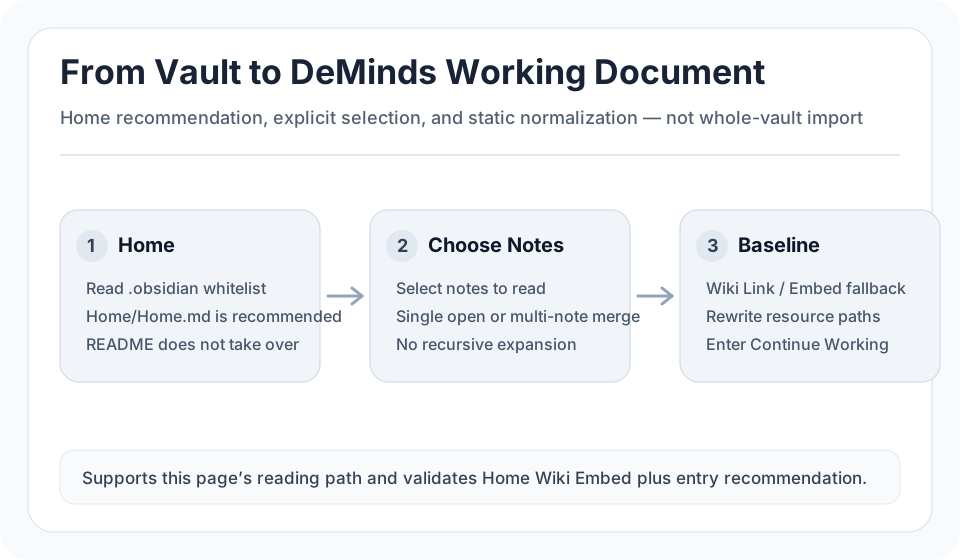
1. Detect the entry first, instead of blindly opening README
A regular Markdown package often uses README.md, index.md, or a package-name Markdown file as its entry. An Obsidian Vault often has a dedicated home note, such as Home/Home.md, and that note may be referenced by .obsidian/app.json or a Homepage plugin setting.
DeMinds gives priority to those Obsidian home signals. When a user opens a Vault, the recommended entry is therefore closer to the Vault’s own reading path, instead of being accidentally dominated by a root-level README.md.
The point is not to import the entire Vault automatically. The point is to help the user start from the right place.
2. Let the user explicitly choose what to open
Each Markdown file in an Obsidian Vault may have a different role: a home note, an index note, a draft, a template, an archive page, or a daily note. DeMinds does not recursively follow every Wiki Link, and it does not automatically concatenate the whole Vault into one long document.
The user chooses one or more Markdown documents in Document Chooser:
- A single selection opens that document as the working document
- Multiple selections generate a new baseline by order or by Vault structure
- Canceling the chooser creates no workspace and writes no snapshot
This keeps the product boundary clear: DeMinds can read a Vault, but it does not index the whole Vault; it creates a working document, but it does not rewrite the original Obsidian folder in place.
3. Preserve Vault structure instead of flattening every note
When the user selects multiple documents, DeMinds can generate the working document according to the Vault structure. For example, Areas/Research/Methods/Literature Review.md should not become just another flat item. Its location in the Vault carries meaning.
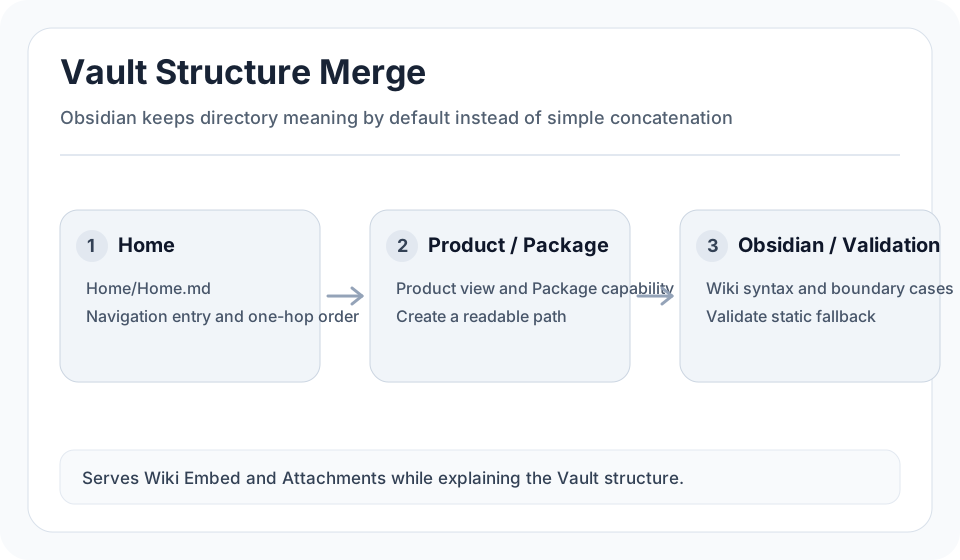
This matters for reading. In many Obsidian Vaults, folders are part of the knowledge organization. Directories such as Product, Package, Obsidian, and Scenarios are not merely containers; they express context and content boundaries.
A normalized DeMinds document should keep that structure visible while still converging the selected content into a single Markdown working document that can be read in both Mind Map and Markdown Preview.
4. Handle Wiki Link and Wiki Embed statically
Obsidian’s [[Wiki Link]] and ![[Wiki Embed]] are central to the Vault reading experience. DeMinds, however, does not execute Obsidian plugins or expand the entire link graph.
Instead, DeMinds uses static normalization:
- A Wiki Link that points to a selected and uniquely resolved note can become an internal link inside the working document
- An unselected, missing, or ambiguous Wiki Link falls back to readable text
- Image Wiki Embeds are converted into standard Markdown image references
- Note embeds are not recursively expanded; they remain readable references
This keeps the content readable, the structure controlled, and the exported result ordinary Markdown rather than an Obsidian-runtime-dependent state.
5. Resource paths must stay self-contained
Markdown packages and Obsidian Vaults often contain resources with the same file name. Different folders may both contain a.png; one document may reference images/a.png, while another references assets/a.png.
If resources are merged by file name only, images can easily point to the wrong file. DeMinds needs a path-based resource closure: it persists only the directly referenced, actually available, and safe resources used by the selected documents.
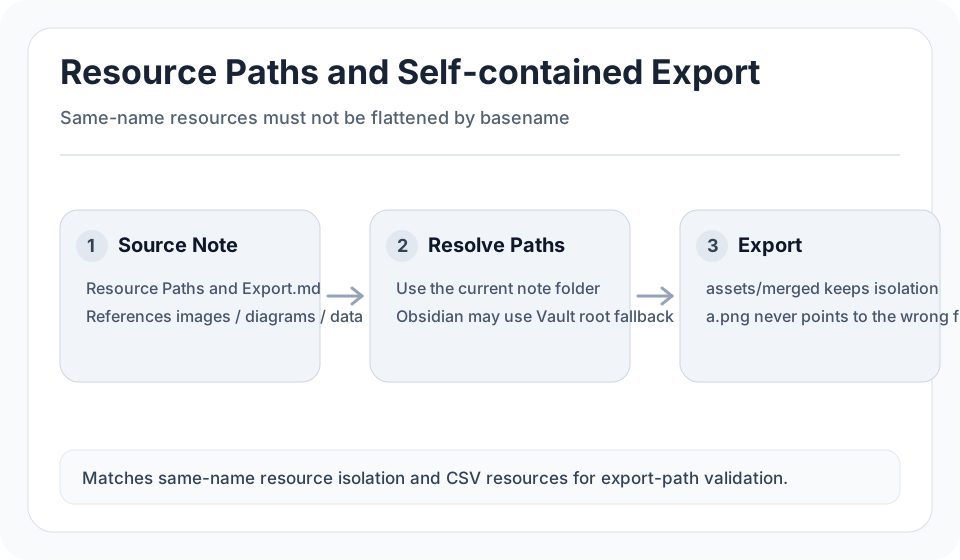
In a merged baseline, resource references are rewritten into explainable, exportable relative paths. This makes the exported Markdown package self-contained and usable outside DeMinds.
6. Markdown Package support is the foundation
Obsidian Vault support is not an isolated feature. It builds on DeMinds’ Markdown Package capabilities: entry recommendation, Document Chooser, multi-document merge, resource closure, and path-preserving export.
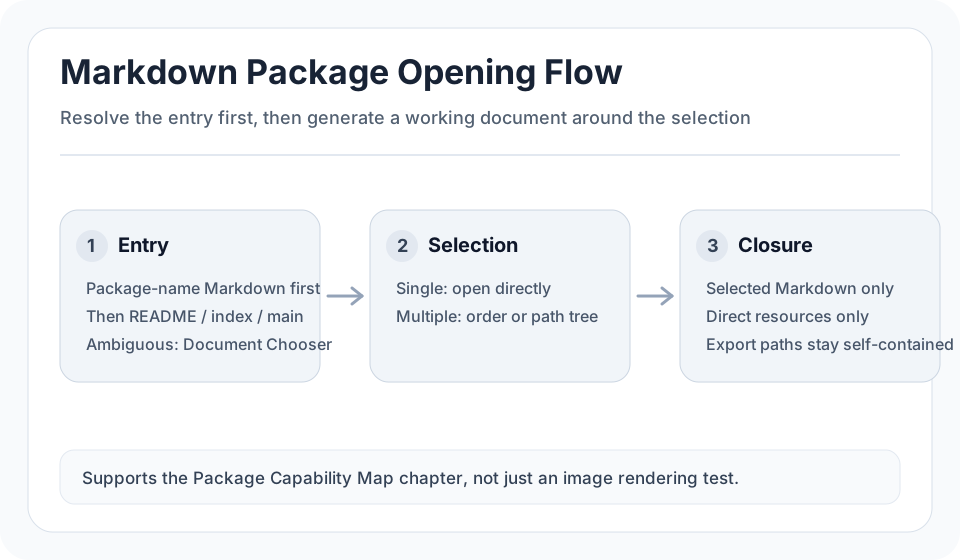
A regular Markdown package usually defaults to ordered merge. An Obsidian Vault usually defaults to Vault structure. Both follow the same underlying principle: generate a working document around the user’s explicit selection, rather than copying the whole package.
7. The value of DeMinds: turn structure into a working document
DeMinds is not trying to replace Obsidian, nor is it trying to recreate every knowledge-base feature inside the app. It is better suited to this workflow:
- Take the content you want to continue working on from Obsidian, a web page, an AI conversation, or a Markdown package
- Normalize it into a Markdown working document
- Review its structure in a mind map
- Read it in Markdown Preview
- Continue editing, organizing, and exporting it
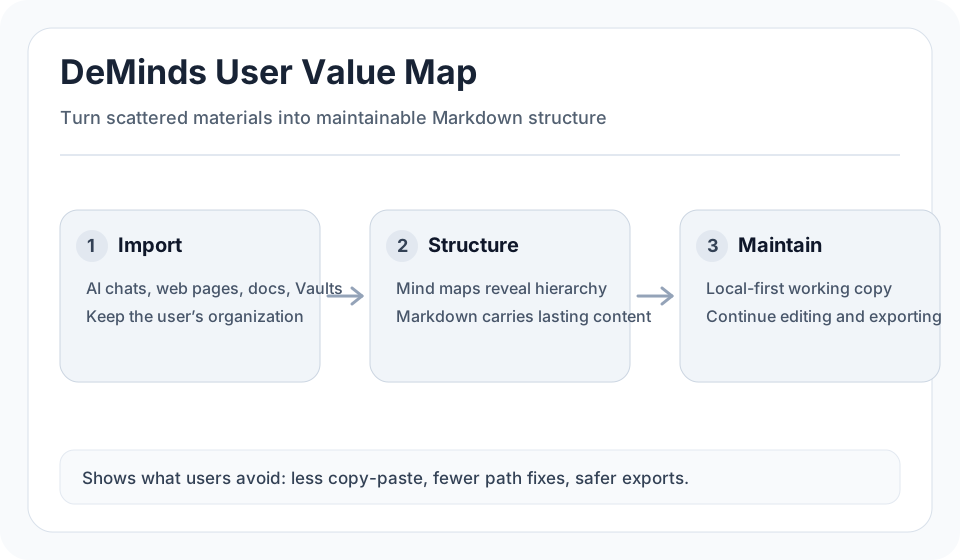
For long-term knowledge assets, the value is clear: the content remains Markdown, the structure can be viewed as a mind map, resource paths remain portable, and the result is not locked inside one tool.
8. A typical scenario: cleaning up AI conversations
Many AI conversations are useful when created, but become hard to maintain as long text. DeMinds can turn this kind of content into structured Markdown, then help it move into a longer-term knowledge workflow.
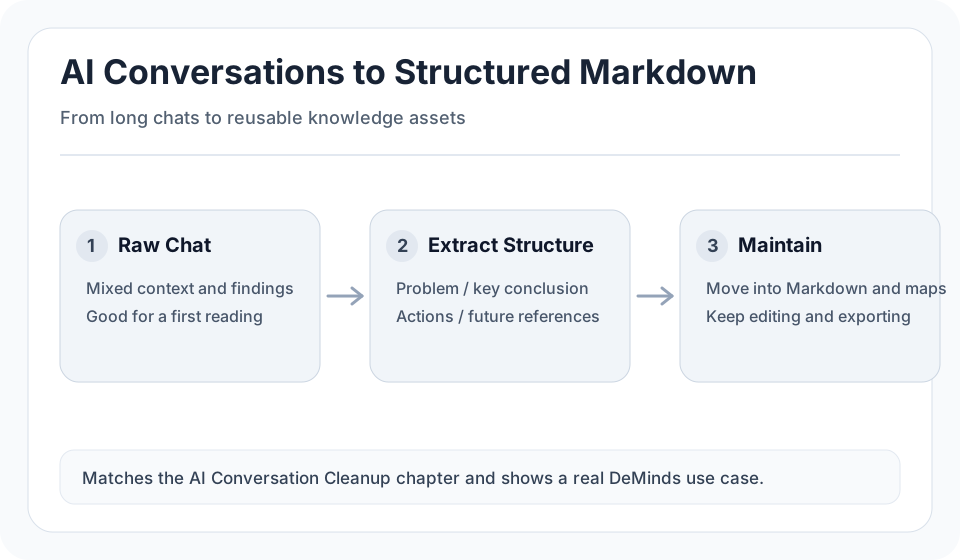
This follows the same logic as Obsidian Vault handling. DeMinds is less concerned with which tool the content came from, and more concerned with whether the content can become readable, editable, and portable structured Markdown.
Closing
“From an Obsidian Vault to a DeMinds Working Document” is not a full migration, and it is not a replacement for Obsidian.
It is a structured reading workflow: DeMinds detects the entry, lets the user choose the content, preserves Vault structure, handles links and attachments statically, and generates a Markdown document that can continue to be worked on.
That is the core position of DeMinds: a local-first Markdown + mind map workspace that keeps knowledge assets readable, editable, and portable.